DreamMSP
Menu

Managed IT services

Business cybersecurity services on Long Island.

Practical protection for business accounts, endpoints and email, with clear responsibilities for alerts and recovery.

Free business resource

Who follows up when something needs attention?

Review protection, alert handling and staff reporting with a worksheet that gives each responsibility a named owner.

FREE DREAMMSP RESOURCE

Business Security Responsibilities Worksheet

Keep a copy in your inbox. We’ll email you a link to the fillable PDF.

Download the PDF before filling it in, then save a copy with your answers.

Where should we send it?

Optional emails

We’ll email the resource you requested. Additional emails are optional; you can unsubscribe at any time. No texts. Privacy information.

Business security beyond antivirus.

An old employee account, a missed update or an unchecked backup can leave your business exposed even when security software is installed. We review the protection you have, explain the gaps and agree who will follow up.

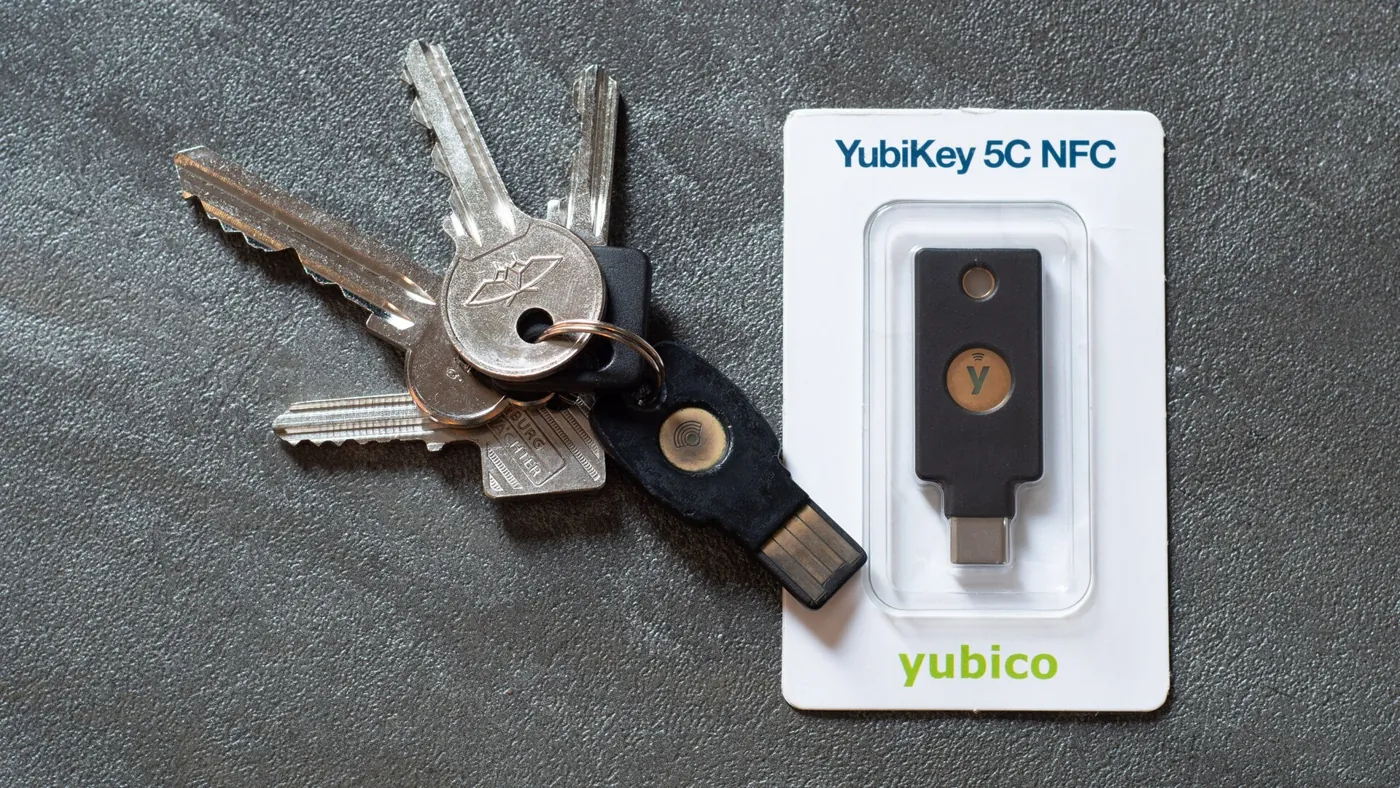
A USB-C security key beside a set of keys
A USB-C security key beside a set of keys. Photo: Daniel Aleksandersen, CC BY 4.0. Resized and cropped for display.

Protection for the accounts and systems your business uses.

An invoice can look convincing even when it comes from a compromised supplier account. Filtering, protected sign-ins and a staff reporting route address different parts of that risk. Your finance team still needs a known, independent way to confirm changed bank details; we help the business connect those everyday checks with its technical protection.

Email security and account protection

We help protect your business email against fake invoices, impersonation and other attempts to trick staff. Where supported, an extra sign-in check helps protect accounts if a password is stolen. Staff know where to report a suspicious message.

We also work with the email provider when a legitimate message is missing or has been held for checking. Your proposal explains the protection and software subscriptions included.

Protection for computers and office connections

We look after the agreed security tools on your computers, servers and office network. Your business knows who checks warnings, investigates problems and brings in further help when it is needed.

Employee awareness

We help employees recognize suspicious requests and verify unusual payment or account changes through a known contact. Our password guidelines explain long, unique passwords, passkeys and when a reset is warranted.

Recovery and risk priorities

If someone gains access to an account or an important system stops working, your team needs to know who to call and what to recover first. We connect that plan with the agreed backups and improvements. Our SMB cybersecurity priorities offer a starting point for the discussion.

What you receive from a cybersecurity review.

The review gives you a clear picture of current protection, the gaps that need attention and the decisions your business needs to make.

Office meeting table with laptops and planning notes

A view of coverage

We compare the business accounts, supported devices and important applications with the protections actually in place. You can see where coverage is missing or where a setting needs attention.

Findings you can act on

Each finding explains what needs attention, why it matters and the proposed next step. We discuss priorities, cost and any decisions that need your approval. Unverified findings remain visible for follow-up.

Someone responsible for responding

You know who receives alerts, who investigates and who can approve action that interrupts work. The agreement sets out service hours and any specialist response arrangements; employees know where to report a concern.

A way to review progress

We report on agreed improvements and outstanding issues. New employees, equipment and suppliers can change the protection you need, so responsibilities continue beyond initial setup. Use our IT support quote comparison guide to check the responsibilities and separate charges in a proposal.

Where should your security budget go first?

Buying several security products can still leave an important account or older computer outside their coverage. Before proposing more software, we look at the systems your business depends on and the consequences of losing access to them. An exposed administrator account, unsupported server and repeated payment-fraud attempts need different responses.

The recommendations should explain which risk each change addresses and what it will cost to maintain. Some improvements involve software; others involve changing access, replacing unsupported equipment or giving employees a dependable way to report concerns. Your business can weigh those priorities against its budget and operating schedule.

We also identify dependencies that could hold up the work. An older application may need its vendor involved before a security change is made. A control that employees cannot use reliably needs attention, rather than an assumption that buying the product completed the job.

What happens after an employee raises a concern?

An employee who reports an unexpected sign-in or a suspicious attachment needs a useful response, even if they are unsure what happened. For the systems covered by your agreement, we establish what is known, investigate the affected account or computer and explain the next action. Interrupting access can affect other work, so the business needs an agreed person who can approve those decisions.

A wider incident may involve an insurer, legal adviser, specialist investigator or application provider.

We help coordinate the technical information and responsibilities within our scope. Specialist response services and their charges need to be clear before they are required.

After an issue is contained, there may still be work to do: restoring access, checking recovery options, correcting the original weakness and explaining what remains uncertain. Those follow-up decisions matter to the owner as much as the initial warning.

Choose between a review and ongoing security management.

A focused review can help you understand a concern or plan improvements while keeping an existing IT provider. Ongoing management adds responsibility for the agreed protections and follow-up as employees, devices and applications change. We explain which arrangement fits the problem you bring us.

When comparing proposals, look for the supported systems, included subscriptions, investigation responsibilities and escalation arrangements. Our managed IT services can bring that security work together with everyday staff support; a security-only engagement needs its own clear boundaries.

Make security workable for your employees.

Security measures need to fit the way people actually work. Staff may share a reception computer, work away from the office or need access to an application maintained by another company. We consider those situations when proposing sign-in and access changes so essential work can continue.

Resolve difficult access situations

An awkward safeguard often leads to requests for exceptions. We help explain the purpose of the protection, investigate the difficulty and discuss a suitable way forward with the business. An exception needs a reason, an approving person and a review when the circumstances change.

Make it easy to raise a concern

Employees also need to feel comfortable asking for help when a request looks unusual or they think they made a mistake. A clear reporting route gives them somewhere to turn before uncertainty becomes a bigger problem. The aim is protection your team understands and can use consistently.

Before you get started

Questions about cybersecurity services.

Have a question about your own setup? Talk with Charles.

Can you review what we already have?

Yes. We look at the accounts, computers and applications your business uses, then compare them with the protection actually in place. Existing software may be suitable; a gap may instead involve a missed setting, an uncovered device or nobody following up on an alert. You receive an explanation of the findings and the work proposed, rather than an automatic recommendation to replace everything.

Can you help with cyber-insurance questions?

We can help establish what technical protection is in place and gather available records behind your answers. If a question asks about a safeguard that is missing or only partly deployed, we explain the gap and the proposed work. Your business approves its submission, and your broker or insurer determines policy requirements, eligibility and coverage.

Does this include Microsoft 365 security?

Microsoft 365 accounts, email and sharing can be included, alongside protection for the computers staff use. We discuss who administers the environment, how suspicious activity is reported and which subscription features are available. Account protection and recovery are separate responsibilities: our Microsoft 365 backup guide explains why file synchronization alone does not answer every recovery need.

Do we need managed cybersecurity if our computers already have antivirus?

Antivirus is one part of protection. Your business also depends on email accounts, employee access, updates and usable backups. We review those together and explain who investigates warnings and follows up. Existing software may still be suitable; the first step is finding out what is protected and what is being missed.

Who helps if an employee reports a suspicious email or account sign-in?

Your support agreement should name the first contact, the coverage hours and who can authorize urgent action. We investigate the supported accounts and devices within that scope and coordinate with the email provider or a specialist when needed. Employees should have a clear reporting route before an incident occurs.

Let’s talk about your IT.

Tell us what's working, what's frustrating, and where you need help.