
Most technology problems do not begin with a dramatic failure.
They begin with something small.
A computer takes a little longer to start. A backup job finishes later than usual. A wireless connection becomes unreliable in one part of the office. Storage use climbs every month. An administrator account appears that nobody remembers creating.
None of those things necessarily means there is an emergency. But each one is easier to understand when somebody already knows what normal looks like.
That is where proactive IT monitoring earns its keep. It is difficult to spot a meaningful change when nobody has established a baseline.
Why Proactive IT Monitoring Beats Waiting for Something to Break
Traditional break-fix support begins when a person reports a problem. The computer will not start, the application will not open, or the internet connection is down. The provider responds, restores service, and closes the ticket.
There is nothing wrong with responding quickly. People need help when their work is interrupted.
But if that is the only information being collected, the provider sees isolated incidents instead of the environment around them.
A managed service should provide more context. Has this device shown the same warning before? Did several computers begin slowing down after the same change? Is the backup taking longer because the business is creating more data, or because something is wrong? Did the network problem begin after a new device was installed?
Those questions do not require a wall of complicated dashboards. They require consistent information and someone willing to pay attention to it.
What Proactive IT Monitoring Should Establish
A useful baseline is not a single number. It is a practical picture of how the important parts of the environment normally behave.
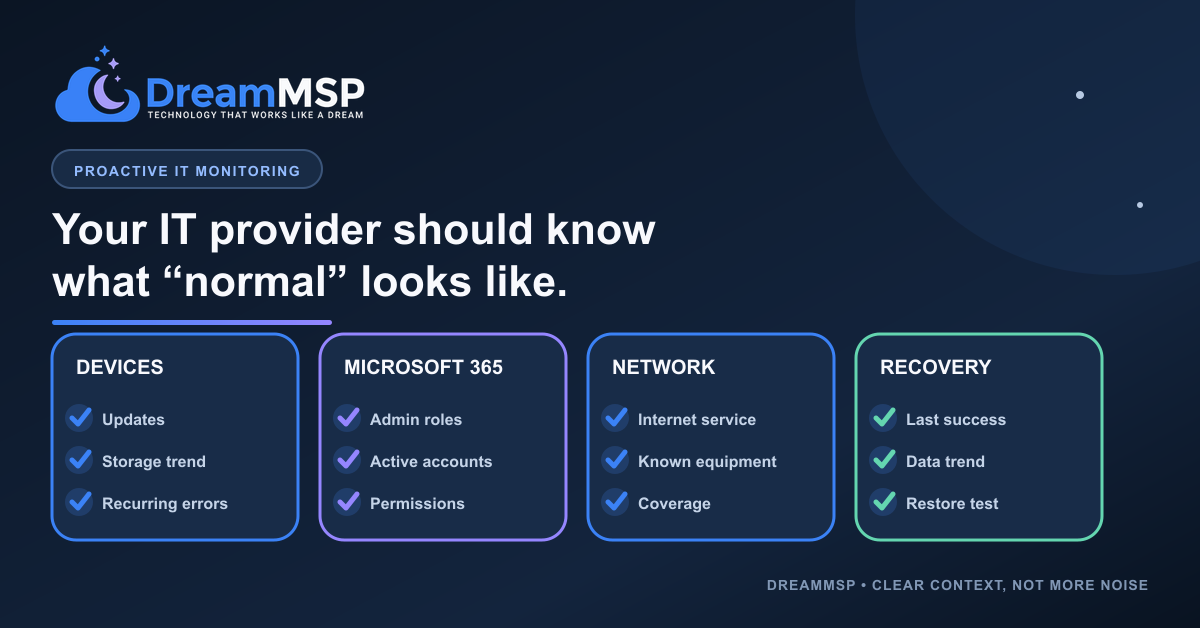
For computers and servers, that may include available storage, update status, recurring errors, device age, and the general health of the hardware.
For Microsoft 365, it may include who holds administrator roles, which accounts and licenses are active, how access is being assigned, and whether the environment is accumulating old users or permissions.
For the network, it may include the expected internet service, the devices that should be connected, the normal areas of wireless coverage, and which equipment supports the office.
For backup and recovery, it may include the usual job duration, the amount of protected data, the most recent successful run, and when recovery was last tested.
The NIST Cybersecurity Framework offers a useful way to think about identifying and monitoring the systems a business depends on. The exact list should still match the business. A twenty-person professional office does not need the same monitoring as a manufacturer, a medical practice, or an organization with several locations.
That is the point. The baseline should reflect the systems the business actually depends on.
More Alerts Do Not Automatically Mean Better Support
It is easy to turn on alerts. It is much harder to make them useful.
If every minor change creates a notification, the important signals become buried in noise. If the thresholds are too broad, a problem may continue for weeks without attracting attention.
Good monitoring needs context.
A drive reaching a certain level of use may be normal for one system and a warning for another. A brief internet interruption after hours may not affect anyone. The same interruption during the busiest part of the day may be worth investigating immediately.
The goal is not to collect the largest possible number of alerts. The goal is to notice changes that matter to the business and respond appropriately.
Sometimes the right response is immediate action. Sometimes it is a closer review. Sometimes it is simply documenting the change and watching what happens next.
The Business Owner Should Not Need the Dashboard
I do not think business owners should have to spend their mornings reviewing device-health charts and Microsoft 365 reports.
They should receive clear information when a decision is needed.
What changed? Why does it matter? What happens if nothing is done? Is this an urgent problem, a project to plan, or something that can safely be monitored?
That is where technical monitoring becomes useful business guidance.
A provider can collect thousands of data points and still leave the client confused. The value comes from turning the right information into a clear recommendation.
Knowing Normal Makes Small Changes Easier to Catch
Technology will never be perfectly predictable. Hardware fails. Software changes. People work differently. Businesses grow, move, hire, and replace systems.
A baseline does not eliminate those changes. It makes them easier to recognize.
When someone understands the environment, a small warning can be compared with what happened yesterday, last week, or before the most recent change. That creates a better chance of addressing the cause while the problem is still small.
This is one of the reasons I believe proactive IT monitoring and managed infrastructure should work quietly without becoming intrusive. The provider should understand the health of the systems without forcing the client to become a full-time technology manager.
The work should happen quietly in the background. When something begins to drift, the client should receive an explanation rather than another unexplained alert.
That is what proactive IT monitoring is really for. If you want a clearer picture of what your current provider is monitoring, schedule a short call with us.